
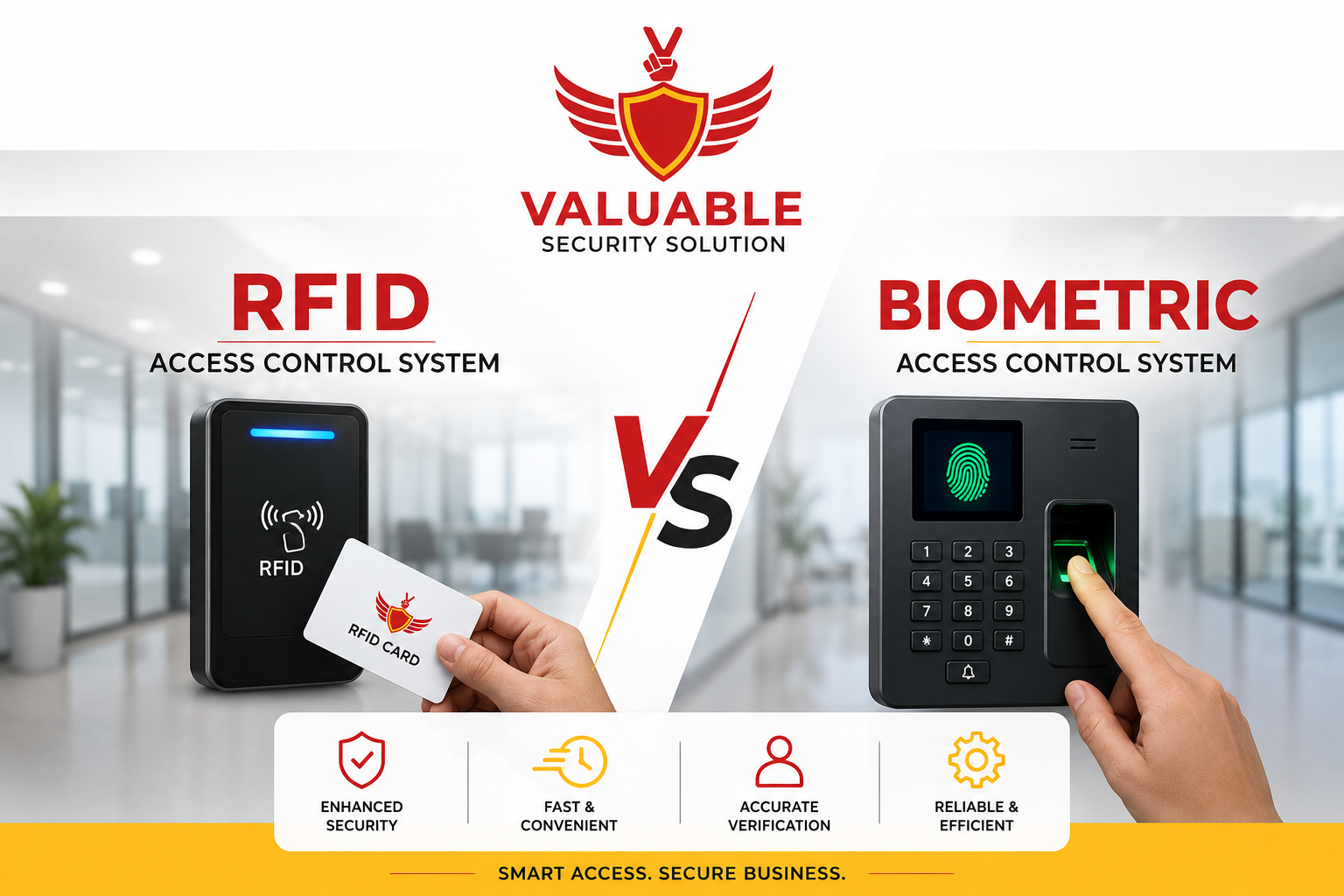
RFID vs Biometric Access Control System in Bangalore: Which Is Better? Compare Features, Pros & Cons
When choosing an RFID vs biometric access control system in Bangalore, facility managers must carefully balance upfront hardware costs, daily employee convenience, and long-term security.
Your office is expanding from 20 to 150 employees. Suddenly, relying on physical keys has become a massive security liability. You need an electronic upgrade, but a major question arises during your security planning: should you choose an RFID smart card system or a biometric fingerprint and face recognition terminal?
Choosing between these access control systems in Bangalore requires carefully balancing upfront hardware costs, daily employee convenience, and long-term security. A fast-paced co-working space in Koramangala has entirely different security needs than a restricted data center in Whitefield.
There is no one-size-fits-all solution. Facility managers constantly struggle to decide whether the fast throughput of smart cards outweighs the strict identity verification of biometric access control.
In this comprehensive guide, we break down the exact technical differences between these keyless office entry systems. You will learn how each technology handles peak-hour traffic, prevents proxy attendance, and integrates with your wider security network so you can make a confident, cost-effective decision.
Quick Answer: Which is better: RFID or biometric access control?
The best choice depends entirely on your operational risk level and daily foot traffic. RFID access control is better for fast, high-volume entry, budget-friendly deployments, and easy visitor management. Biometric access control is better for high-security zones, stopping buddy punching, and ensuring highly accurate employee attendance authentication. To maximize security and efficiency, most modern Bangalore corporate offices use a hybrid architecture combining both technologies.
Table of Contents
- What Is RFID Access Control?
- What Is Biometric Access Control?
- RFID vs Biometric Quick Comparison
- Feature-by-Feature Comparison
- Cost Comparison & TCO
- Security Deep Dive
- CCTV Integration
- Best System by Business Type
- Pros & Cons Comparison
- Case Studies
- Common Mistakes to Avoid
- How to Choose (Decision Tree)
- Comparison Matrix
- Why Choose Valuable Security Solution
- Frequently Asked Questions
- Myth vs Fact
- Expert Tips & Key Takeaways
What Is RFID Access Control? Features, Working Principle & Best Use Cases
What is RFID access control?
RFID (Radio Frequency Identification) access control is a digital office security system that unlocks doors using wireless radio waves. Users tap a smart card or key fob against an external RFID reader. The reader instantly captures the credential and sends the data to a central controller to verify user permissions before releasing the electronic door lock.
How It Works
The standard RFID authentication workflow operates in under a second: Credential ➔ RFID Reader ➔ Access Controller ➔ Door Unlock
When designing a commercial access control system, it is vital to understand that not all RFID technology is created equal. The commercial market is split into two primary frequencies:
- 125 kHz (Legacy Proximity): These older cards broadcast a simple, unencrypted serial number. They are cheap but highly vulnerable to card cloning. An intruder can easily copy a 125 kHz card using a handheld device bought online. We rarely recommend these for new installations.
- 13.56 MHz (MIFARE / Smart Cards): These high-frequency smart cards use advanced encryption (like MIFARE DESFire). Because the data is heavily encrypted, they cannot be easily copied. This is the absolute standard for modern corporate security.
From a system design perspective, how the reader communicates with the controller matters immensely. Legacy systems use the Wiegand protocol, which sends unencrypted data over physical wires, leaving it vulnerable to wire-tapping. Modern, secure installations utilize OSDP (Open Supervised Device Protocol), which features two-way, AES-128 encrypted communication.
Pros & Cons
- Advantages: Authenticates in milliseconds; highly cost-effective edge hardware; makes visitor management incredibly easy (just hand a guest a temporary card).
- Disadvantages: Authenticates the object, not the person. This creates a high risk of card sharing (proxy attendance). There are also ongoing administrative costs to replace lost, damaged, or stolen cards.
Best Use Cases: General office lobbies, school campuses, apartment complexes, retail backrooms, and warehouse loading zones.
What Is Biometric Access Control? Features, Working Principle & Business Applications
What is biometric access control?
Biometric access control is an advanced security system that authenticates users based on unique biological traits, such as fingerprints, facial structure, or iris patterns. Because these physical traits cannot be shared, forgotten, or stolen, biometric systems guarantee the physical presence of an authorized individual, completely eradicating buddy punching.
How It Works
Unlike RFID, which authenticates what you have (a physical card), biometric authentication verifies who you are. Enrollment Scan ➔ Encrypted Template Creation ➔ Verification Scan ➔ Door Unlock
During employee onboarding, the system scans the physical trait and translates it into a complex mathematical algorithm called a Biometric Template. The actual photograph of the face or fingerprint is permanently discarded for data privacy.
When planning a commercial deployment, you will choose from several modalities:
- Fingerprint Scanners: The most common and cost-effective biometric solution. Highly reliable but requires physical contact.
- Facial Recognition: Fast, highly hygienic, and provides touchless building security. Ideal for post-pandemic office environments.
- Iris Recognition: Scans the complex patterns of the eye. Offers the highest security level available, primarily reserved for high-security data centers.
The Technical Metrics You Must Know
When evaluating biometric hardware, security engineers look at three critical metrics:
- False Acceptance Rate (FAR): The probability the system accidentally authenticates an unauthorized intruder. This must be near zero.
- False Rejection Rate (FRR): The probability the system incorrectly rejects a valid employee. If FRR is too high, it creates massive bottlenecks at the front door.
- Liveness Detection: Advanced AI software utilizing 3D depth sensors and infrared cameras to ensure a living, breathing human is at the door. This prevents hackers from bypassing a facial recognition scanner using a photograph or an iPad video.
Pros & Cons
- Advantages: Absolute identity verification; zero ongoing credential costs (no cards to buy); flawlessly accurate Time & Attendance reporting for HR.
- Disadvantages: Higher initial capital expenditure per door; contact-based scanners raise hygiene concerns in hospitals; requires strict IT data compliance for template storage.
Best Use Cases: IT park server rooms, pharmaceutical research labs, banking vaults, hospital dispensaries, and HR departments needing strict attendance tracking.
RFID vs Biometric Access Control System in Bangalore: Quick Comparison
| Feature | RFID Access Control | Biometric Access Control |
|---|---|---|
| Primary Credential | Smart Card, Key Fob, Mobile | Fingerprint, Face, Iris |
| Security Level | Moderate (Cards can be shared) | High (Tied to human traits) |
| Initial Hardware Cost | Lower upfront investment | Higher initial terminal cost |
| Ongoing Maintenance | High (Continuously replacing lost cards) | Low (Zero physical credentials) |
| Authentication Speed | Very Fast (Milliseconds) | Fast (1 to 2 seconds) |
| Buddy Punching Risk | High Risk | Zero Risk |
| Hygiene Levels | Low Contact | Contactless (Face/Iris) |
RFID vs Biometric Access Control: Feature-by-Feature Comparison
To truly understand which system fits your commercial building in Bangalore, we must compare how these technologies perform across critical operational categories.
1. Security & Identity Assurance
The Problem: An employee lends their access card to a colleague so they can clock in on time while stuck in Outer Ring Road traffic.
The Technology Response: RFID systems authenticate the credential. If the card is valid, the door opens. The system does not know who is actually holding the card. Biometric systems authenticate the human. Active liveness detection ensures only the registered employee can trigger the door.
Business Benefit: Biometrics provide absolute identity assurance and an uncompromised audit trail.
- Winner: Biometric.
2. Speed & Peak Hour User Experience
The Problem: It is 9:00 AM at a major corporate park. Hundreds of employees are trying to enter the main lobby turnstiles simultaneously.
The Technology Response: A standard RFID reader processes a card tap in milliseconds, allowing employees to walk through without breaking stride. A facial recognition terminal takes roughly 1 to 2 seconds to locate the face, process liveness detection, and authorize entry.
Business Benefit: RFID prevents peak-hour lobby bottlenecks. While modern biometrics are incredibly fast, forcing 500 people to pause and look at a camera creates minor queues.
- Winner: RFID.
3. Installation Complexity & Infrastructure
The Problem: Upgrading legacy security systems requires pulling new cables and configuring IT networks.
The Technology Response: RFID readers are lightweight edge devices. They require standard low-voltage wiring back to a centralized access control panel. Biometric terminals, however, act as standalone mini-computers. They require heavy network bandwidth to sync encrypted biometric templates across the local area network.
Business Benefit: RFID systems are generally faster and cheaper to physically install. However, biometrics frequently utilize PoE (Power over Ethernet), streamlining installation if network cables are already present.
- Winner: RFID.
4. Long-Term Maintenance Requirements
The Problem: System downtime and ongoing administrative tasks eat into operational budgets.
The Technology Response: RFID hardware is incredibly durable and requires zero sensor cleaning. However, HR managers will spend hours every month re-issuing smart cards. Biometric systems require zero credential management, but the hardware requires routine physical cleaning (for fingerprints) and periodic firmware updates to maintain fast matching speeds.
Business Benefit: Biometrics eliminate the administrative nightmare of card management.
- Winner: Biometric.
5. Scalability & Cloud Management
The Problem: Your company opens a second branch in Peenya. You need employees to seamlessly access both buildings.
The Technology Response: Both technologies scale effortlessly across multi-location enterprises when paired with Cloud Access Control dashboards. HR can grant global access with a single click.
Business Benefit: Cloud integration removes the need for isolated local servers, unifying security across Bangalore.
- Winner: Tie.
6. Employee Convenience
The Problem: An employee leaves their wallet at home and cannot enter the office.
The Technology Response: With RFID, the employee is locked out. They must visit security, verify their identity manually, and obtain a temporary printed badge. With face recognition biometrics, the employee’s face is their key. They simply walk up to the door and enter.
Business Benefit: Touchless access creates a frictionless, premium employee experience while completely removing the headache of forgotten credentials.
- Winner: Biometric.
7. Data Privacy & IT Compliance
The Problem: Employees are concerned their fingerprints or faces are being stored and tracked.
The Technology Response: RFID cards only broadcast a random alphanumeric string, yielding no personal data if intercepted. Biometric systems store encrypted mathematical hashes, not photographs. However, handling this data still requires strict IT governance to comply with digital privacy laws like the DPDP Act.
Business Benefit: RFID faces virtually no privacy hurdles, making it easier to deploy quickly.
- Winner: RFID.
RFID vs Biometric Access Control System Cost in Bangalore
When evaluating an RFID vs biometric access control system in Bangalore, looking solely at the initial hardware price tag is a mistake. Facility managers must calculate the Total Cost of Ownership (TCO) over a 3 to 5-year commercial lifecycle.
RFID Cost Breakdown
- Hardware Setup: Standard 13.56 MHz MIFARE card readers are relatively inexpensive. A complete single-door setup, including the reader, controller, electromagnetic lock, and installation, represents a low initial capital expenditure.
- Ongoing Expenses (The Hidden Cost): The true cost of RFID lies in the credentials. You must constantly purchase, print, and issue new smart cards. In high-turnover industries like BPOs or retail, businesses spend significant annual budgets replacing lost, stolen, or damaged employee cards.
Biometric Cost Breakdown
- Hardware Setup: High-resolution fingerprint scanners and AI-powered face recognition terminals contain advanced processors. This makes the edge hardware significantly more expensive per door.
- Ongoing Expenses: Because employees are the credential, there are zero replacement costs. The only ongoing maintenance requirements involve routine sensor cleaning and software licensing.
TCO ROI Verdict
If your Bangalore office has 50 employees and extremely low turnover, an RFID system remains highly economical.
However, if you manage 500 employees, biometrics offer superior long-term ROI. The higher initial hardware investment is quickly offset by the complete elimination of card replacement budgets, the eradication of proxy attendance, and the subsequent recovery of lost payroll hours.
RFID vs Biometric Security: Which Access Control System Is More Secure?
To understand security, you must understand the difference between authenticating an object and authenticating an identity.
The Limitations of Credential Security (RFID): RFID authenticates an object. Older 125 kHz proximity cards are incredibly vulnerable to cloning using cheap handheld devices. Even if you upgrade to encrypted 13.56 MHz MIFARE cards to stop cloning, you cannot stop an employee from handing their valid card to a friend (tailgating and credential sharing).
The Strength of Identity Verification (Biometric): Biometric systems authenticate the person. Active Liveness Detection guarantees physical presence, meaning the system cannot be tricked by a photograph. It provides an uncompromised audit trail, you know with absolute certainty who unlocked the server room at 2:00 AM.
Expert Security Design Tip: For maximum commercial security, we implement Multi-Factor Authentication (MFA). Require employees to present an encrypted smart card and verify their identity with a fingerprint scan before the door unlocks.
Can RFID and Biometric Access Control Integrate with CCTV Systems?
A door reader should never operate in isolation. The most robust office security systems in Bangalore integrate their access control hardware directly with their Video Management System (VMS).
Quick Answer: Can access control integrate with CCTV?
Yes. Modern access controllers and biometric terminals integrate seamlessly with IP CCTV networks via unified Building Management Systems.
The Integration Workflow
Here is how integration simplifies incident investigations for facility managers:
Door Opens ➔ Access Event Logged ➔ CCTV Bookmark Created ➔ Instant Video Playback
- Tailgating Audits: If the access controller registers one valid card swipe, but the integrated camera detects two people walking through the door, the system flags a tailgating violation.
- Forced Door Alerts: If an intruder forces open a maglock without a valid authentication scan, the system instantly triggers an alarm event and pushes a live video feed to the security dashboard.
- Fire Alarm Linkage: During a fire emergency, the fire panel signals the access controller to drop power to all fail-safe locks, ensuring safe evacuation.
To understand how camera resolution impacts these visual audits, read our complete guide to the different types of CCTV cameras or explore the technical differences in our Analog vs IP cameras comparison.
RFID vs Biometric Access Control: Which Is Best for Different Business Types?
Determining the best system requires analyzing your specific operational environment. The ideal setup for a tech park in Electronic City differs greatly from a logistics hub in the Peenya Industrial Area.
| Business Environment | Recommended Solution | Why It Works Best |
|---|---|---|
| Startup Offices | RFID | Budget-friendly, highly scalable, and fast to deploy in rented commercial spaces. |
| IT & Software | Biometric (Face/Fingerprint) | Guarantees strict identity verification and permanently stops proxy attendance. |
| Co-working Spaces | RFID + Mobile Credentials | Highly flexible; easy to grant or revoke temporary cloud access via smartphones. |
| Manufacturing | Biometric (Fingerprint) | Ensures accurate shift management and seamless payroll integration for large workforces. |
| Warehouses & Logistics | RFID | Allows high throughput for forklift operators and shift workers carrying heavy boxes. |
| Hospitals | Face Recognition + RFID | Touchless access ensures strict hygiene while securing restricted medicine dispensaries. |
| Data Centers | Biometric + Multi-Factor | Provides absolute maximum security and the uncompromised audit trails required for compliance. |
Expert Recommendation: Take a walk through your facility during peak hours. If speed and throughput are your biggest bottlenecks, lean toward RFID. If internal accountability is your biggest liability, invest in biometrics.
RFID vs Biometric: Pros & Cons Comparison
To finalize your decision, review these core advantages and limitations side-by-side.
Advantages of RFID Access Control
- Speed: Near-instantaneous authentication speeds up lobby traffic.
- Cost-Effective Hardware: Edge readers are cheap to replace if vandalized.
- Versatility: Cards can be printed with employee photos to double as visual ID badges.
Limitations of RFID
- Security Gaps: Cannot prevent card sharing, tailgating, or buddy punching.
- Recurring Costs: Continuous operational expense of buying replacement cards.
Advantages of Biometric Access Control
- Absolute Verification: You know with 100% certainty exactly who unlocked the door.
- Zero Credential Management: No physical cards to issue, print, track, or revoke.
- Accurate Payroll: Syncs flawlessly with Time & Attendance software.
Limitations of Biometric Systems
- Higher Upfront Investment: Intelligent edge terminals and software licensing cost more.
- Privacy Compliance: Requires strict IT governance regarding the encryption and secure storage of employee biometric templates.
Case Studies: Access Control for Bangalore Businesses
Note: The following scenarios illustrate typical architectural challenges and deployment outcomes based on common commercial requirements.
Case Study 1: Mid-Sized IT Company in Whitefield (150 Employees)
- Challenge: The HR department was losing thousands of rupees monthly to proxy attendance, where employees swiped standard ID cards for colleagues running late.
- Recommendation: Biometric Face Recognition Terminals.
- Result: Replacing the card readers provided immediate, accurate attendance data, recovered lost payroll hours, and completely eliminated buddy punching.
Case Study 2: Fast-Paced Logistics Warehouse in Peenya
- Challenge: Shift workers wearing thick gloves and carrying heavy boxes were causing massive bottlenecks at a fingerprint scanner at the main loading dock.
- Recommendation: Long-range RFID Cards and Readers.
- Reason: Fingerprint scanners are highly ineffective with gloves or dirty hands. Upgrading to proximity RFID allowed workers to tap their badges quickly without removing safety gear, restoring fast throughput.
Case Study 3: Multi-Specialty Hospital
- Challenge: The facility needed to secure surgical wards while maintaining strict infection-control hygiene protocols post-pandemic.
- Recommendation: Touchless Face Recognition paired with RFID.
- Reason: Contactless facial recognition allowed doctors to open doors without touching shared fingerprint sensors, improving hygiene, while RFID provided a quick backup entry method for temporary nursing staff.
You can explore visual examples of our integrated setups in our project gallery.
Common Mistakes Businesses Make When Choosing Access Control Systems
In our experience, commercial security deployments fail not because the technology is bad, but because the initial planning was flawed. Avoid these critical mistakes:
- Buying Only on Initial Price: Buying cheap, proprietary hardware locks you into one specific vendor forever. Always choose hardware that supports open industry standards like OSDP and Wiegand.
- Using 125 kHz Cards: Deploying easily cloneable, unencrypted proximity cards for high-security server rooms negates the entire purpose of having an electronic lock.
- No CCTV Integration: Operating an access control system blindly heavily limits incident investigations.
- Skipping UPS Backups: Failing to provide dedicated UPS battery backups means your electronic doors will fail open (or fail shut) the moment your building loses grid power.
- Choosing the Wrong Lock Type: Installing fail-secure locks on a main fire exit violates life-safety codes. Fire exits always require a fail-safe configuration so they automatically unlock during an emergency.
- Ignoring Data Storage Constraints: High-resolution door logs and CCTV bookmarks require proper planning.
How to Choose the Right System (Decision Tree)
If you are still struggling to decide, use this simple logical framework based on our system design experience:
- Choose RFID If: You are a budget-conscious business, manage exceptionally high employee footfall, or run a school/retail space requiring simple, constant visitor management.
- Choose Biometric If: You run an IT company, pharma lab, finance department, or data center prioritizing attendance accuracy and the complete prevention of buddy punching.
- Choose a Hybrid System If: You manage a large enterprise or multi-floor office. Use RFID for the main lobby turnstiles (to handle fast morning movement) and deploy Face Recognition for restricted server rooms (to ensure high security).
RFID vs Biometric Access Control Comparison Matrix
| Feature | RFID | Biometric | Overall Winner |
|---|---|---|---|
| Identity Security | Moderate | High | Biometric |
| Initial Hardware Cost | Low | High | RFID |
| Ongoing Maintenance | High (Cards) | Low | Biometric |
| Authentication Speed | Very Fast | Fast | RFID |
| Attendance Accuracy | Poor | Excellent | Biometric |
| User Convenience | Moderate | High (Touchless) | Biometric |
Why Choose Valuable Security Solution
At Valuable Security Solution, led by expert security engineer Siddu Swami Hiremath, we don’t just sell hardware. We engineer comprehensive security services tailored precisely to your operational risks.
- Pre-Installation Security Assessments: Our team maps your network infrastructure, door frames, and power stability before recommending a single product.
- Customized Solutions: We design optimized hybrid setups utilizing only quality hardware from globally trusted brands.
- Seamless Integration: We bridge your new access controllers directly to your CCTV cameras, fire alarm panels, and HR visitor management systems.
- Reliable Local Support: From Whitefield to Peenya, we provide fast, dependable Annual Maintenance Contracts (AMC) to keep your office running smoothly.
Learn more about us and discover our commitment to protecting commercial properties across Bangalore.
Contact Us For Support
📞 Call Us: +91-09972047466 Available for urgent security needs & installation support
✉️ Email: contact@valuablecctvsolution.com
📍 Visit Our Office: 50/6 5th main road, 12th Cross Rd, Wilson Garden, Bengaluru, Karnataka 560027
🗺️ Google Maps: Check Our Google My Business Listing for Reviews
Frequently Asked Questions (FAQs)
Which is better: RFID or biometric access control?
Neither is universally better. RFID is better for fast, high-volume entry, budget deployments, and visitor management. Biometric access control is better for strict identity verification, stopping buddy punching, and ensuring accurate attendance. Modern offices achieve the best results using a hybrid approach.
What is the difference between RFID and biometric access control?
RFID authenticates a physical object (a smart card or fob) that can easily be lost or shared. Biometric systems verify the actual person using unique biological traits (fingerprints or faces), ensuring absolute identity assurance and preventing unauthorized credential sharing.
Can biometric systems prevent buddy punching in offices?
Yes. Because it requires the absolute physical presence of the authorized employee to scan a fingerprint or face, colleagues cannot clock in for each other, completely eliminating buddy punching and proxy attendance.
What is the cost of biometric access control systems per door in Bangalore?
Commercial biometric terminals generally cost 50% to 75% more upfront than standard RFID readers due to the advanced AI processing hardware. However, over a 3-to-5-year lifecycle, they eliminate the ongoing administrative costs of printing and replacing lost RFID cards.
Do RFID access control systems work without the internet?
Yes. While cloud management platforms require an internet connection to update user databases remotely, the local access controller stores all permissions on its internal hard drive. If the internet drops, local offline authentication continues to function flawlessly.
Do biometric door locks work during a power cut?
Yes, provided they are connected to a dedicated UPS battery backup system. Additionally, electronic locks are configured as “Fail-Safe” (automatically unlocking during a power loss for safe evacuation) or “Fail-Secure” (remaining locked), depending on fire safety regulations.
Which access control system is best for small businesses?
For small businesses with tight budgets and less than 30 employees, an RFID proximity system is usually the most cost-effective solution. It provides fast deployment and simple credential management without the need for expensive software licensing.
Can RFID and biometric systems integrate with CCTV?
Absolutely. Modern access controllers integrate with Video Management Systems (VMS). When a user scans their fingerprint or card, the system triggers the nearest IP CCTV camera to record a timestamped video clip, streamlining security investigations.
Which is better: RFID or biometric access control?
Neither is universally better. RFID is much faster and cheaper for high-traffic corporate lobbies. Biometric access control is highly secure, eliminates credential sharing, and guarantees accurate HR attendance. The best solution is often a hybrid approach.
What is the difference between RFID and biometric access control?
RFID authenticates an object (a smart card) that can be shared or stolen. Biometric access control authenticates the actual person using unique biological traits (fingerprints or faces), permanently preventing proxy attendance and tailgating.
Can biometric systems prevent buddy punching?
Yes. Biometric access control requires an employee’s absolute physical presence to trigger a door unlock or log a time timestamp. Because traits cannot be shared, it completely eliminates buddy punching in the workplace.
What is the cost of RFID vs biometric access control in Bangalore?
Biometric access hardware costs 50% to 75% more upfront per door than RFID hardware. However, biometrics eliminate the ongoing operational costs of replacing lost smart cards, offering better long-term ROI for large enterprises.
Can access control systems integrate with CCTV?
Yes. When a user swipes a smart card or scans a fingerprint, modern access control platforms automatically trigger integrated IP CCTV cameras to record a timestamped video clip, providing visual confirmation of every entry event.
Myth vs Fact
| Myth | Fact |
|---|---|
| RFID is outdated technology. | False. Modern 13.56 MHz smart cards using AES-128 encryption and OSDP protocols remain a highly secure and widely used enterprise solution. |
| Biometric systems always need internet connectivity. | False. Most systems store credentials locally on the access controller and continue authenticating users perfectly without internet access. |
| Fingerprint scanners store actual fingerprint images. | False. Reputable systems store highly encrypted mathematical biometric templates, not actual fingerprint photographs. |
| RFID cards cannot be secure. | False. While older 125 kHz cards are vulnerable, upgrading to encrypted smart cards significantly improves protection against cloning. |
| One technology suits every business. | False. The right solution heavily depends on your specific security requirements, user volume, budget, and operational daily needs. |
Expert Tips & Key Takeaways
Expert Tips Before Investing in an Access Control System
- Perform a security risk assessment: Map your doors and identify which zones actually require high security before buying hardware.
- Plan for future expansion: Choose controllers that support more doors than you currently need to avoid replacing hardware later.
- Prefer OSDP over legacy Wiegand: Always specify OSDP wiring to ensure encrypted communication between the reader and the controller.
- Choose encrypted 13.56 MHz smart cards: Never install 125 kHz proximity cards in a modern commercial office.
- Consider hybrid authentication: Use dual-factor (Card + Fingerprint) for highly sensitive areas like server rooms.
- Integrate access control with CCTV: Linking door events to video playback transforms your security audits.
- Provide UPS backup: Ensure uninterrupted operation during Bangalore’s frequent power fluctuations.
- Review audit logs regularly: An access control system is useless if management never reviews the entry data.
- Keep firmware updated: Treat biometric terminals like computers; update their software to prevent cybersecurity vulnerabilities.
Key Takeaways
- RFID is fast, highly cost-effective, and ideal for handling moderate-security environments with high employee footfall.
- Biometric systems provide significantly stronger identity verification and completely eradicate credential sharing and proxy attendance.
- Hybrid deployments typically offer the absolute best balance of speed and security for growing organizations.
- Integration with CCTV, visitor management, and HR attendance systems creates a unified, automated security ecosystem.
- Choosing the right technology ultimately depends on matching your specific operational needs, security goals, and long-term budget.
Conclusion
Choosing the right RFID vs biometric access control system in Bangalore comes down to balancing daily throughput, operational budget, and security risks. RFID remains the champion for fast perimeter control and simple visitor management. However, biometric access control is absolutely unmatched when strict identity verification and accurate attendance tracking are non-negotiable.
Evaluate your precise security requirements rather than selecting hardware solely on the initial price tag. By consulting with experienced security integrators, you can deploy a highly secure, scalable, and integrated solution that protects your assets and your employees.
Upgrade Your Office Security with the Right Access Control Solution
Whether you’re planning a new corporate office, replacing an outdated lock-and-key system, or expanding across multiple locations, Valuable Security Solution can help you select, install, and integrate the right RFID, biometric, or hybrid architecture for your business.
Our team provides comprehensive site assessments, custom solution design, professional installation, and ongoing local support to help you build a secure and scalable workplace.
Contact us today to schedule a free site survey and receive expert guidance on the best access control solution for your Bangalore business.

Siddu Swami Hiremath is the Founder & CEO of Valuable Security Solution, a Bengaluru-based company specializing in CCTV camera installation, electronic security systems, and surveillance solutions. With over 15 years of hands-on experience in the security industry, he has helped homeowners, businesses, apartments, offices, schools, and industrial facilities implement reliable CCTV systems, access control systems, biometric attendance solutions, fire alarm systems, and burglar alarm systems. His expertise in designing customized security solutions has made Valuable Security Solution a trusted name for CCTV installation in Bangalore. Known for same-day site surveys, professional installation, best-price guarantee, and 24/7 technical support, Siddu is committed to delivering advanced security solutions that ensure long-term safety, protection, and peace of mind.