
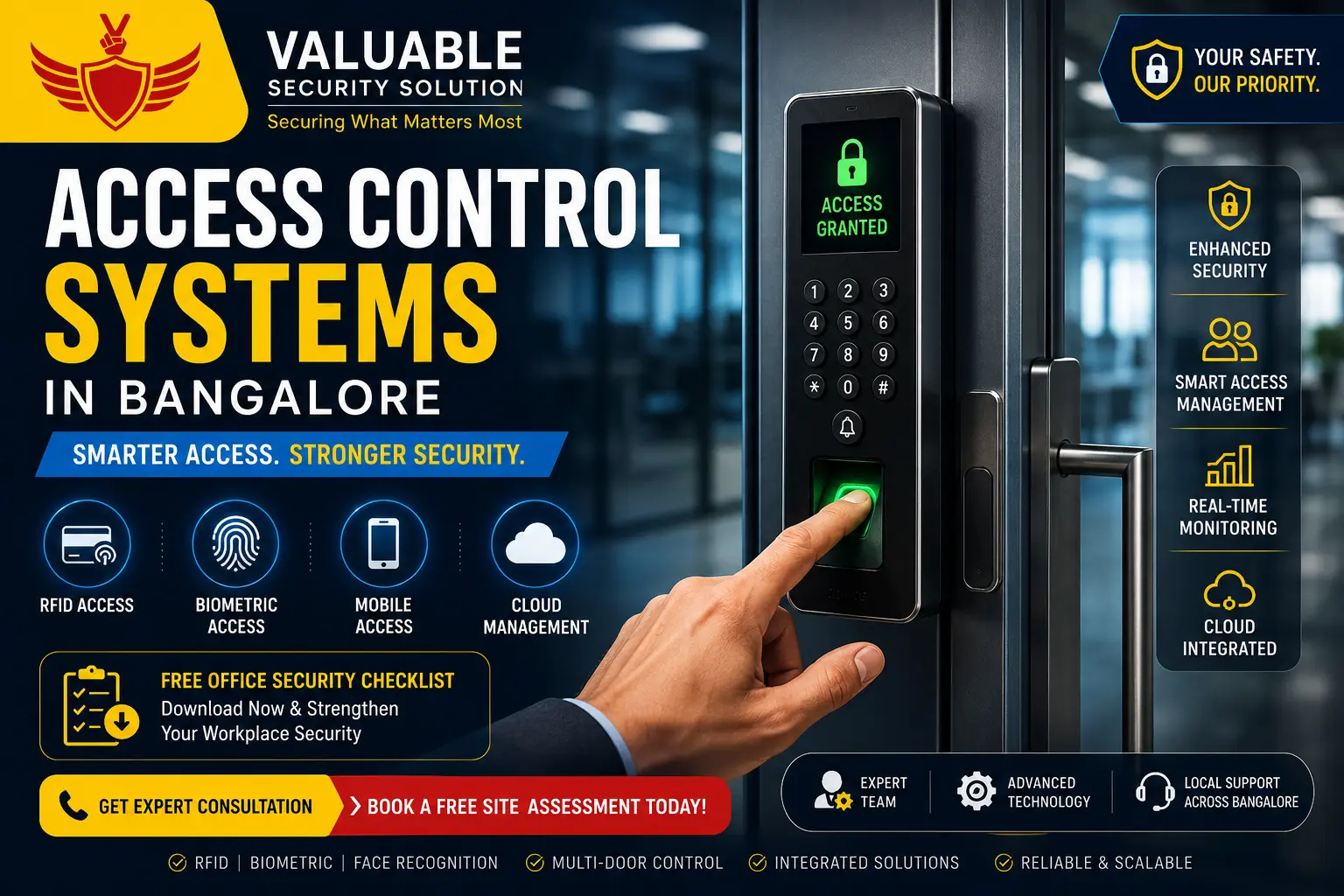
What Are Access Control Systems in Bangalore & How Do They Work for Offices?
Quick Answer: What Is an Access Control System?
Summary: An access control system is a digital office security system that manages who can enter specific areas within a property. Unlike traditional keys, an electronic access control framework uses authentication methods like RFID cards, biometric scans (fingerprints or facial recognition), and mobile credentials. Businesses deploy access control systems in Bangalore facilities to replace physical keys, establish secure employee authentication, maintain real-time audit logs, and protect restricted areas. The primary hardware includes a centralized access controller connected to an electronic lock, which triggers automatically once a user verifies their pre-approved security clearance.
Table of Contents
- What Is an Access Control System?
- How Does an Access Control System Work?
- Key Components of an Access Control System
- Types of Access Control Systems Explained
- Biometric vs RFID Access Control: Which Is Better?
- Benefits of Access Control Systems for Businesses in Bangalore
- Real-World Applications of Access Control Systems
- Case Studies & Practical Examples
- Access Control Systems vs Traditional Lock & Key
- Can Access Control Systems Integrate with CCTV, Fire Alarms & Visitor Management?
- How to Choose the Best Access Control System for Your Office
- Common Mistakes Businesses Make When Choosing Access Control Systems
- Why Choose Valuable Security Solution
- Frequently Asked Questions
- Key Takeaways
Introduction
Managing day-to-day operations comes with significant smart office security responsibilities. Many facility managers face growing workplace security concerns, such as unauthorized access to private server areas, lost keys, and complex visitor management. Ensuring employee safety across an entire commercial building security footprint requires moving past old-school physical locks.
Consider this scenario: An employee loses a mechanical office key on a Friday evening. An organization immediately faces substantial security risks and operational downtime because the administrator must replace every affected physical lock mechanism. By upgrading to a modern electronic door access system, the manager simply disables the lost RFID credential in a digital database and issues a new card within minutes, bypassing expensive replacement costs entirely.
[Modern Office Entrance]
       │
       ▼
 [RFID / Biometric Reader] ───► [Verifies ID] ───► [Triggers Electronic Lock]
                                                        │
                                                        ▼
 [Digital Audit Log Created] ◄─── [Employee Enters] ◄─── [Door Unlocks]
Advanced office access control systems eliminate the security vulnerabilities of unmonitored keys by building a permanent, unalterable digital audit trail. Business security relies on knowing precisely who accessed a room and when. Throughout this complete guide, you will learn the exact working mechanics of automated entry hardware, explore the differences between RFID and biometric authentication, and discover how to choose the ideal keyless office entry architecture to secure your workplace.
What Is an Access Control System?
An access control system is an electronic access control network designed to manage permissions and secure entry points across a facility. Instead of relying on traditional brass keys that anyone can copy, this digital framework uses an intelligent access controller linked with an electronic door lock to verify user identities. Security administrators assign digital credentials—such as an RFID token, biometric print, personalized PIN, face recognition scan, or mobile credentials stored on smartphones—to control entry parameters for specific individuals.
 [User Credential] ───► [Door Reader] ───► [Central Access Controller]
                                                    │
                                                    ▼
    [Door Opens] ◄─── [Electronic Lock Releases] ◄─── [Permissions Approved]
Commercial door access control systems verify clearances based on predefined schedules. For example, regular employees can unlock main office doors during business hours, while cleanup crews might only have entry clearance during evening windows. This granular level of building security explains why modern offices, hospitals, data centers, and educational facilities deploy these automated setups to safeguard assets and protect sensitive records.
How Does an Access Control System Work?
An electronic door access system uses real-time authentication to secure entry points. When a person approaches a door, the system follows a fast, automated operational sequence:
- Credential Presentation: The user places their finger on a biometric fingerprint scanner, stands before a face recognition terminal, or taps an RFID card against an external reader.
- Data Transmission: The reader translates this physical interaction into a secure digital signal, sending it to the centralized access panel using standard data communication protocols like Wiegand or OSDP (Open Supervised Device Protocol).
- Database Verification: The controller acts as the core brain of the system. It checks the incoming ID data against its internal permissions rulebook to verify if the user has clearance for that specific door at that precise timestamp.
- Lock Execution: If authentication succeeds, the controller sends an electrical pulse to release the electronic lock, allowing the door to open. If authorization fails, the door remains securely locked, and the access panel flags the unauthorized attempt.
- Audit Logging: The system instantly logs the event, saving the exact user ID, location, and timestamp to a cloud dashboard for real-time monitoring.
Modern systems utilize advanced offline functionality. If the main office network drops, the door controller relies on internal memory to cross-reference access permissions locally, ensuring that employees are never locked out of the building.
Key Components of an Access Control System
Building a reliable commercial door access control system requires heavy-duty hardware components designed to communicate seamlessly with one another. Choosing commercial-grade hardware improves reliability and long-term performance.
Credentials
Credentials act as the digital keys carried by users to prove their identity. Common options include high-frequency RFID cards, compact proximity key fobs, custom numeric PIN combinations, and mobile credentials using smartphone Bluetooth or NFC signals.
Authentication Devices
Mounted right next to the entryway, these security devices read the digital credentials. This hardware category includes standard card readers, PIN keypads, optical fingerprint scanners, and high-speed facial recognition terminals.
Access Controller
The access controller is the dedicated hardware panel that serves as the brain of the entire network. It stores local databases, processes reader signals, makes split-second entry decisions, and manages the power relays connected to the door locks.
Locking Hardware
Electronic locks secure the physical door frames. They require continuous power management from the controller panel:
- Maglock (Electromagnetic Lock): Uses a powerful magnetic field to keep doors locked. It requires a fail-safe configuration, meaning it automatically unlocks if the system loses power during emergencies.
- Electric Strike: Replaces the standard mechanical door strike plate, allowing electronic release while keeping regular door handles functional.
- Drop Bolt: Uses a heavy-duty motorized metal pin that shoots down into the door frame, making it ideal for frameless glass cabin doors.
Software and Power Management
Centralized cloud or on-premise software handles user profiles, schedules custom time-attendance records, and compiles comprehensive audit logs. The entire setup is supported by a dedicated commercial-grade power supply paired with a long-lasting UPS backup system to keep doors functional during localized blackouts.
Types of Access Control Systems Explained
Different commercial environments require different security balances. Organizations pick access control technologies based on their daily user volume, expansion plans, and compliance requirements.
1. RFID Card Access Control System
An RFID door access system for office environments relies on proximity communication. Users enjoy a fast “tap-and-go” authentication process by waving their credential near an RFID reader. This makes it an effective option for schools, large corporate offices, and apartment complexes that require rapid user traffic management. Deactivating a lost card takes only a few clicks inside the administrator console.
2. Biometric Access Control System
Advanced biometric access control setups utilize unique physical traits like fingerprints, facial features, or palm geometry. Because biometric authentication links access permissions to an individual’s unique biological data, it completely eliminates card-sharing or “buddy punching” time fraud. This ultra-secure architecture is highly recommended for banks, IT companies, healthcare clinics, and data centers.
3. PIN-Based Access Control
Keypad access control requires users to type a specific code into a secure numeric terminal. This low-cost entry solution is easy to implement because it completely eliminates physical credential manufacturing costs. However, shared PIN codes can cause security gaps over time, making this setup best for low-risk interior office corridors.
4. Mobile Access Control
Smart office entry systems leverage smartphone technology by utilizing secure Bluetooth or NFC signals. Users open their office doors by simply holding their phone near the reader or tapping a button inside a mobile app. This modern contactless entry method removes the hassle of managing plastic cards and allows facility managers to send temporary digital credentials to visitors instantly.
5. Cloud-Based Access Control
A cloud access control model routes all local access panels to a secure central web browser interface. Administrators can monitor real-time audit logs, adjust user permissions, and receive security alerts across multiple geographic office branches from a single dashboard. This scalability makes it an ideal architecture for modern hybrid workplaces.
6. Multi-Factor Access Control
High-security facilities implement multi-factor authentication (MFA) to prevent unauthorized entry into critical zones. Users must pass two or more validation checks before the door unlocks—such as scanning an RFID card and verifying their identity on a fingerprint scanner.
Biometric vs RFID Access Control: Which Is Better?
Neither technology is universally superior. The ideal choice depends on your daily operational priorities, user count, and available deployment budget.
| Feature | RFID Proximity Systems | Biometric Authentication |
|---|---|---|
| Security Level | Medium (Cards can be shared or stolen) | High (Biological markers cannot be replicated) |
| Upfront Cost | Lower initial hardware investment | Higher initial terminal cost |
| Credential Loss | Yes (Cards get misplaced frequently) | No (User biometrics are permanent) |
| User Convenience | Excellent (Sub-second proximity tap) | Very Good (Modern optical processing) |
| Speed | Fast | Fast |
| Best For | SMEs, schools, corporate lobbies | Enterprises, data centers, server vaults |
To maximize operational security, most Bangalore offices combine both technologies. They deploy fast RFID readers at main building entrances for smooth employee traffic flow, while securing high-risk server hubs with fingerprint or facial recognition terminals.
Benefits of Access Control Systems for Businesses in Bangalore
Deploying commercial door access control systems provides clear operational and security advantages for modern commercial enterprises across IT Parks, corporate offices, and warehouses.
- Better Employee Safety: Restricts building access entirely to verified individuals, keeping out unannounced vendors or intruders.
- Reduced Key Replacement Costs: If an employee leaves an enterprise, the admin revokes their entry rights via the central dashboard in 30 seconds, saving the cost of replacing 30 mechanical locks.
- Comprehensive Audit Trails: The central controller captures every successful entry and denied attempt, giving security managers an accurate digital log for incident investigations.
- Automated Attendance Tracking: Modern electronic systems sync directly with HR software, registering employee clock-in times the moment they pass through the main entrance.
- Scalable Remote Management: Facility managers can lock down properties, adjust entry schedules, and manage visitors across multiple locations from any cloud-connected device.
Real-World Applications of Access Control Systems
Electronic access control systems protect daily operations across diverse commercial sectors:
- Corporate Offices: Department-based access ensures marketing staff cannot enter private accounting vaults without clearance.
- Hospitals & Clinics: Medicine room security restricts access to authorized healthcare staff, ensuring regulatory compliance.
- Schools & Universities: Student access tracking ensures safe, monitored campus movement.
- Logistics Warehouses: Placing biometric entry checkpoints protects high-value inventory and reduces internal shrinkage.
- Manufacturing Plants: Secures restricted production areas from unauthorized visitors.
- Co-working Spaces: Tenant-based permissions allow temporary access that automatically expires.
Case Studies & Practical Examples
Note: The following scenarios illustrate typical deployment outcomes.
Case Study 1: IT Company
- Problem: Lost employee cards causing high replacement costs and security vulnerabilities.
- Solution: Cloud RFID integrated with fingerprint terminals.
- Result: Improved security with instant deactivation of lost credentials and perfectly accurate audit logs.
Case Study 2: Commercial Warehouse
- Problem: Inventory theft and poor staff accountability.
- Solution: Biometric access checkpoints combined with office CCTV solutions.
- Result: Reduced unauthorized access and matched entry logs directly to video footage for better accountability.
Case Study 3: Healthcare Clinic
- Problem: Weak medicine room security and poor shift tracking.
- Solution: Facial recognition terminals with strict time scheduling.
- Result: Restricts access to specific medical personnel only during authorized shifts, improving regulatory compliance.
Access Control Systems vs Traditional Lock & Key: Which Is Better for Businesses?
Mechanical locks cannot keep pace with the security demands of modern commercial workspaces.
| Security Feature | Traditional Lock & Key Setup | Modern Access Control System |
| Physical Credentials | Mechanical brass keys required | RFID, Biometrics, or Smart Mobile Apps |
| Lost Credential Fix | Requires expensive lock replacement | Instant card deactivation via software |
| Entry Audit Logs | Completely Unavailable | Real-time digital user tracking |
| Remote Locking Control | Impossible without physical presence | Global lock/unlock control via cloud |
| Fire Alarm Integration | None (Requires manual unlocking) | Automatic fail-safe door release triggers |
| Long-Term Scalability | Low (Difficult to manage multiple keys) | High (Supports thousands of multi-site users) |
If a company with 150 employees changes staff every month, replacing physical locks becomes incredibly expensive. Digital credentials solve this instantly, proving that electronic access is the far superior choice for businesses.
Can Access Control Systems Integrate with CCTV, Fire Alarms & Visitor Management?
Yes. Modern building security relies on complete hardware integration. Electronic access networks serve as a critical foundation for wider building management system automation.
                  ┌──────────────────────┐
                  │ Central Fire Alarm   │
                  └──────────┬───────────┘
                             │ (Signals Emergency)
                             ▼
┌──────────────────┐   ┌─────────────┐   ┌──────────────────┐
│   CCTV Camera    ├──►│ Access Control├──►│Visitor Management│
│Records Door Event│   │ Controller  │   │Logs Temporary ID │
└──────────────────┘   └─────────────┘   └──────────────────┘
- CCTV Integration: The moment a door opens, the system matches the entry log with an associated security camera clip, making incident investigations foolproof.
- Fire Alarm Integration: During a fire emergency, the alarm panel sends a trigger command to the access controller. The system automatically drops power to the fail-safe electronic locks, ensuring rapid emergency evacuation.
- Visitor Management System: When a visitor registers, the system issues a temporary, time-restricted access pass that expires automatically.
- Time Attendance Integration: Employee entry events automatically mark attendance, feeding directly into centralized payroll systems.
How to Choose the Best Access Control System for Your Office
There is no universal “best” system. The right solution depends heavily on your risk level, user count, compliance needs, and expansion plans.
| Business Type | Recommended Hardware Solution |
|---|---|
| Startup (Small Office) | Proximity RFID cards for low-cost, fast deployment. |
| Growing SME | RFID + Fingerprint scanners for accurate attendance tracking. |
| Enterprise Hub | Facial recognition + RFID backed by cloud-managed multi-site dashboards. |
| Hospital | Touchless facial recognition for strict hygiene compliance. |
| Warehouse | Dual-factor fingerprint scanners integrated with CCTV defense. |
| School | Heavy-duty RFID readers to manage large student volumes quickly. |
Common Mistakes Businesses Make When Choosing Access Control Systems
Avoid these common deployment pitfalls during system planning:
- Buying Only on Price: Low-cost components suffer frequent breakdowns and leave your office vulnerable.
- Ignoring Future Expansion: Buying a system that only supports 50 users will force a total hardware replacement as your company grows.
- No UPS Backup: Failing to provide battery backup means doors will fail during Bangalore’s frequent power cuts.
- Choosing the Wrong Lock Type: Installing fail-secure locks on a main fire exit violates safety codes. Fire exits always require a fail-safe configuration.
- Ignoring Maintenance: Neglecting regular hardware inspections leads to slow reader response times.
- No Integration Planning: Purchasing a proprietary system that refuses to sync with your CCTV or visitor management software.
- Weak Password Management: Leaving default administrator passwords on network access controllers.
- Poor Employee Training: Failing to educate staff on how to use biometric scanners correctly, leading to frustrating entry delays.
Why Choose Valuable Security Solution for Access Control Systems in Bangalore?
Securing a modern commercial asset requires an experienced integration partner. Valuable Security Solution delivers complete engineering oversight throughout the entire security deployment process.
We conduct deep, on-site door infrastructure mapping and risk analysis to find hidden blind spots before recommending components. Our certified technicians execute clean, professional installations of trusted technologies like RFID, Biometric, and Cloud Access hardware. Furthermore, we provide end-to-end integration, seamlessly linking your new access control setup with your existing CCTV, fire alarms, and attendance software. With preventive maintenance, remote support, and fast local response times across Bangalore, we guarantee your property stays protected.
Learn more about us and discover our commitment to uncompromising security.
Frequently Asked Questions
What is an access control system?
An access control system is an electronic security framework that restricts unauthorized entry to physical spaces. Using authentication methods like RFID, biometrics, or mobile apps instead of traditional keys, it grants selective access to verified users, providing businesses with enhanced security and digital audit logs.
How does an access control system work?
When a user presents a credential, the reader sends the data to a central controller. The controller performs authentication against its database. If approved, it triggers a door unlock command to the electronic lock, allowing entry, and records the event in the audit log.
What is the difference between biometric and RFID access control?
The difference between biometric and RFID card access control lies in the credential. RFID uses physical proximity cards that are fast and inexpensive but can be lost or shared. Biometric systems use unique biological traits (like fingerprints), offering much higher security and convenience, though at a higher initial cost.
Which access control system is best for offices?
The best access control system for office in Bangalore depends on your setup. Small offices often thrive on simple RFID systems. An SME might combine RFID with fingerprints, while enterprise offices, hospitals, and warehouses require advanced facial recognition and cloud-managed multi-site systems for maximum security.
Can access control systems work without the internet?
Yes. While cloud management requires internet, the local access controller downloads and stores permissions in its local database. This offline authentication ensures that doors continue to function securely even if the network connection drops.
What happens during a power cut?
People often ask how does an electronic door access system work during a power cut. The system relies on a UPS battery backup to maintain operation. Additionally, locks are configured as fail-safe (unlocking during emergencies) or fail-secure (remaining locked), depending on fire safety regulations.
Can access control systems integrate with CCTV and fire alarms?
Yes, organizations frequently ask can access control systems integrate with CCTV and fire alarms. Integrating these systems creates a unified security dashboard, linking entry logs with video surveillance footage and allowing doors to automatically unlock during a fire alarm trigger.
How much does an access control system cost in Bangalore?
Pricing varies significantly based on your specific requirements. The total cost depends on the number of doors, the type of authentication (RFID vs. biometric), hardware quality, integration needs, professional installation, and ongoing maintenance agreements.
Are biometric access control systems secure?
Yes, they are highly secure. Modern fingerprint and face recognition terminals use advanced encryption and liveness detection technology, preventing intruders from using photographs or fake prints to bypass the system.
How many doors can one access control system manage?
Modern systems are highly scalable. A standalone controller might manage a single door, while enterprise-level cloud platforms can easily manage thousands of doors across multiple global locations from one unified dashboard.
Can access control systems track employee attendance?
Absolutely. Every entry and exit generates detailed audit logs. When paired with time attendance integration software, the system automatically calculates employee working hours, late arrivals, and overtime for payroll processing.
How often should access control systems be maintained?
For reliable operation, systems require regular maintenance at least twice a year. This includes software updates, hardware inspections, battery testing for the UPS, and reader cleaning to ensure quick, accurate scans.
Contact Us For Support
📞 Call Us: +91-09972047466 Available for urgent security needs & installation support
✉️ Email: contact@valuablecctvsolution.com
📍 Visit Our Office: 50/6 5th main road, 12th Cross Rd, Wilson Garden, Bengaluru, Karnataka 560027
🗺️ Google Maps: Check Our Google My Business Listing for Reviews
Key Takeaways
- Access control systems help regulate who can enter specific areas, eliminating the risks associated with mechanical keys.
- Authentication methods range from simple RFID cards and PINs to high-security biometrics and mobile credentials.
- Integration with CCTV, visitor management, and fire alarms creates a much stronger, automated security ecosystem.
- Selecting the right system heavily depends on your business size, risk level, budget, and future expansion plans.
- Regular maintenance, software updates, and proper access management improve long-term reliability and workplace security.
Conclusion
Upgrading to modern access control systems in Bangalore is no longer a luxury; it is a fundamental requirement for securing physical assets and ensuring employee safety. By understanding what is an access control system and evaluating your current security vulnerabilities, you can build a safer, more efficient workplace. Relying on outdated physical keys leaves your business exposed to theft and operational downtime.
Transitioning to commercial door access control systems gives facility managers total oversight through real-time audit logs and remote management. Whether you choose a simple proximity card setup or advanced biometric access control Bangalore solutions, it is crucial to select a scalable architecture that aligns with your specific operational needs. Furthermore, combining your access control hardware with CCTV, visitor management platforms, and fire safety systems creates a comprehensive, impenetrable security strategy. Secure your facility today by leaving mechanical locks in the past and embracing digital entry automation.
Ready to Improve Your Workplace Security?
Whether you’re planning a new office, upgrading an existing facility, or expanding to multiple locations, Valuable Security Solution can help you design an access control solution tailored to your operational requirements. From RFID and biometric systems to integrated CCTV, visitor management, and fire alarm solutions, our team provides consultation, installation, and ongoing support for businesses across Bangalore.
Contact us to schedule a site assessment and discuss the best access control strategy for your organization. You can also explore Our Services to learn more about our complete commercial security solutions.

Siddu Swami Hiremath is the Founder & CEO of Valuable Security Solution, a Bengaluru-based company specializing in CCTV camera installation, electronic security systems, and surveillance solutions. With over 15 years of hands-on experience in the security industry, he has helped homeowners, businesses, apartments, offices, schools, and industrial facilities implement reliable CCTV systems, access control systems, biometric attendance solutions, fire alarm systems, and burglar alarm systems. His expertise in designing customized security solutions has made Valuable Security Solution a trusted name for CCTV installation in Bangalore. Known for same-day site surveys, professional installation, best-price guarantee, and 24/7 technical support, Siddu is committed to delivering advanced security solutions that ensure long-term safety, protection, and peace of mind.