
How Long to Keep CCTV Footage Bangalore: Complete Storage & Backup Duration Guide

When planning a security system, figuring out how long to keep CCTV footage Bangalore homes and businesses require is the first step to ensuring complete property protection. Whether you want to track a missing delivery at your house in Indiranagar or check inventory at an Electronic City warehouse, your system needs to hold past recordings long enough for you to actually use them.
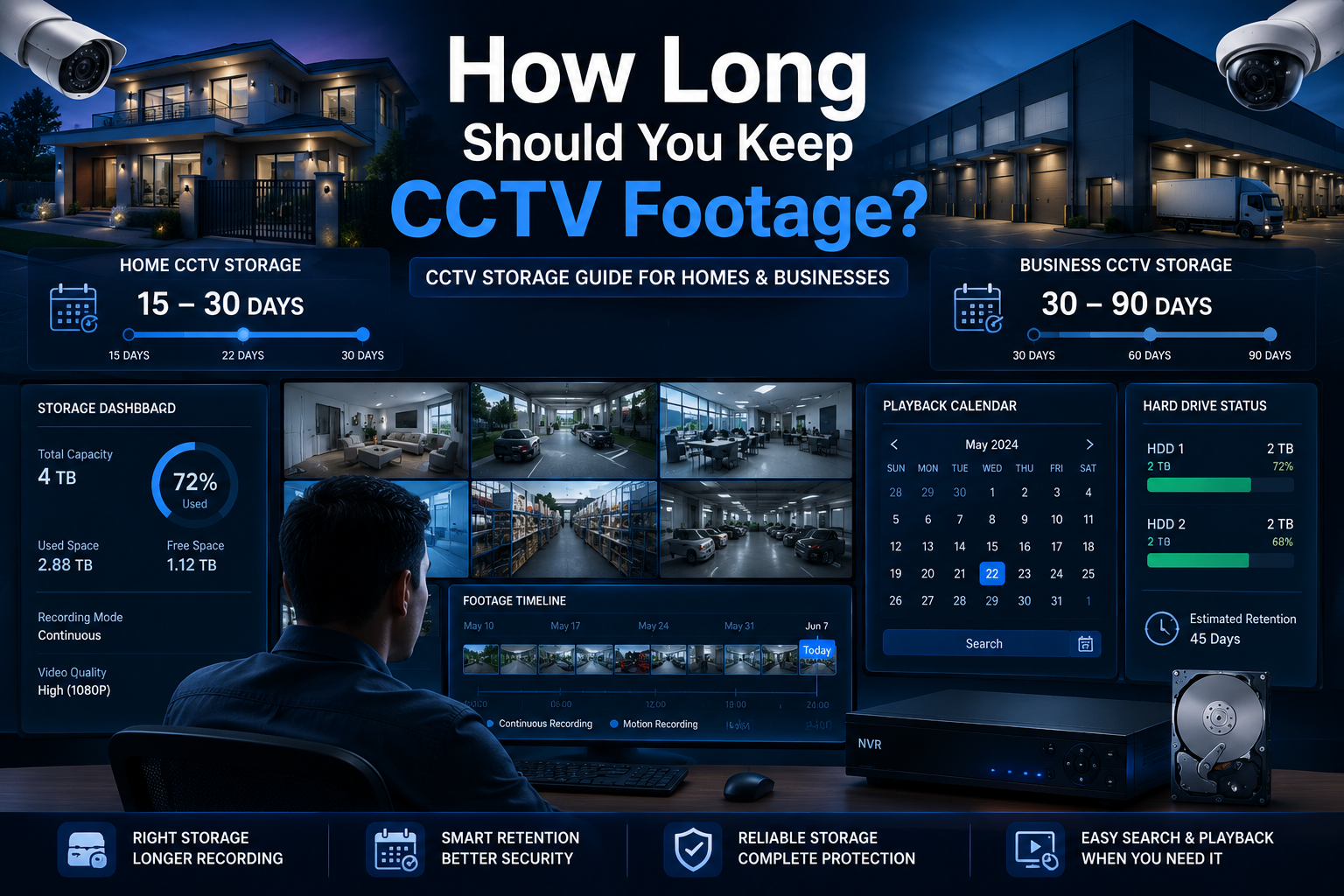
Most homes in Bangalore should retain CCTV footage for at least 15–30 days, while offices, retail stores, and commercial facilities typically benefit from 30–90 days of storage. The actual retention period depends on hard drive capacity, camera resolution, frame rate, bitrate, and whether recording is continuous or motion-based. Once storage becomes full, most DVR and NVR systems automatically overwrite the oldest footage through loop recording.
When you install a home system, a two to four-week backup gives you enough time to catch an incident after returning from a long holiday. Businesses, however, need much longer logs. Retail managers or factory supervisors often do not notice missing stock or staff disputes until end-of-the-month audits. If your hard drive is too small, your recorder will delete the exact clip you need before you even start looking for it.

Talk to Siddu Swami Hiremath
Call our office now: +91-09972047466
Visit us: 50/6 5th main road, 12th Cross Rd, Wilson Garden, Bengaluru, Karnataka 560027
Email: contact@valuablecctvsolution.com
How Long Does a CCTV Camera Keep Recorded Footage?
A security camera does not have a built-in timer. It records video continuously until its hard drive runs out of physical space. In most standard CCTV installation services across Bangalore, this translates to anywhere from two weeks to three months of history.
Your backup window must match how quickly you can notice a problem. A standalone home has a completely different risk timeline compared to a fast-paced retail space in Koramangala or a massive warehouse facility in Nelamangala.
Typical CCTV Retention Periods
To help you plan, use these baseline timelines representing common deployment practices across the city:
| Property Type | Recommended Backup |
| Apartment / Home | 15–30 Days |
| Villa | 30 Days |
| Small Office | 30 Days |
| Retail Store | 30–60 Days |
| Warehouse | 60–90 Days |
| Industrial Site | 90+ Days |
If you live in an apartment, a 15-day backup usually works because you or your neighbors notice unusual activity quickly. Independent villas require a solid 30 days of storage so a two-week vacation doesn’t result in overwritten files. For businesses, a 30-day window is the absolute minimum, while warehouses facing delayed logistics disputes require 60 to 90 days. This makes planning how long to keep CCTV footage Bangalore properties need a critical step in your security strategy.
What Determines CCTV Footage Retention Time?
Your CCTV hard disk backup duration is never a fixed number out of the box. It is the mathematical result of how much video data your cameras generate every second. Understanding these factors helps you maximize your standard security camera storage capacity without prematurely spending money on additional hardware. Tweaking just one setting can radically improve your security video storage lifespan.
-
Number of Cameras: Every new camera adds a separate data stream to your DVR or NVR. Whether you use an older analog DVR or a modern IP-based NVR, and you can read our full analog vs IP cameras comparison to understand which processes data better, all incoming video pools onto the same internal hard drives. Upgrading from four to eight cameras instantly cuts your backup duration in half.
-
Video Resolution: Resolution dictates file size. A standard 2MP (1080p) camera keeps file sizes incredibly manageable. Moving to 4MP doubles storage needs, and 4K (8MP) consumes drive space exceptionally fast.
-
Frame Rate (FPS): Dropping your cameras from a cinematic 30 FPS down to a security-standard 15 FPS still captures clear, identifiable movement but instantly cuts storage consumption by 50%.
-
Bitrate Settings: Switching from Constant Bitrate (CBR) to Variable Bitrate (VBR) allows the camera to lower file sizes when a scene is completely static. Furthermore, utilizing modern H.265+ compression shrinks bitrates significantly by predicting static backgrounds.
-
Recording Mode: Continuous 24/7 recording fills drives rapidly with redundant footage. Relying on motion-triggered recording tells the software to only write data when active movement occurs, heavily extending your retention timeline.
How Many Days CCTV Records Before Overwriting?
Property owners frequently ask exactly how many days CCTV records before overwriting. The system handles a full drive using an endless, self-managing cycle called loop recording, ensuring you never miss a current event.
What is Loop Recording?
When you turn on your NVR, it begins writing video to the blank hard drive. As days pass, free space shrinks. When the drive hits its absolute physical limit, the system quietly deletes the oldest video files to make room for today’s incoming video. This constant, rolling erasure determines your actual CCTV loop recording time.
What Happens When CCTV Storage Is Full?
Your security cameras will not crash or freeze when the disk fills up. The surveillance hard drive overwrite cycle happens seamlessly in the background. If your hard drive is sized to hold exactly 30 days, the system constantly pushes out footage from day 1 to safely store footage for day 31.
Overwrite Timeline Example:
-
Day 1: Recording begins on a blank drive.
-
Day 15: Hard drive reaches 50% capacity.
-
Day 30: Hard drive reaches 100% capacity.
-
Day 31: System automatically deletes Day 1 to record Day 31.
You must export important video clips to a USB drive immediately after an incident. Once the cycle catches up, you cannot use data recovery software to bring back overwritten video files.
Storage Capacity vs Backup Days — Real-World Examples
Technical theory only gets you so far. You need real-world numbers to build a reliable system. To help you build a reliable system, we calculated the standard security camera storage capacity based on hundreds of typical Bangalore installations (feel free to explore our gallery of recent security setups to see these systems in action).
Let’s look at exactly how many days a 1TB hard drive can record 4 CCTV cameras.
A 1TB hard drive can record four 2MP (1080p) CCTV cameras continuously for roughly 10 to 15 days. If you upgrade to sharper 4MP cameras, that 1TB drive fills up in 7 to 10 days. However, setting those cameras to motion-recording extends the 1TB drive to 20 to 30 days.
Typical Backup Duration by Hard Drive Size
Homes and offices consume storage at completely different rates. A home setup captures less movement, reducing file sizes. An office setup processes constant movement (employees, clients, deliveries), filling the hard drive much faster.
Here is a practical breakdown based on a standard 4-camera installation:
| HDD Size | Home Setup | Office Setup |
| 1TB | 7–15 Days | 5–10 Days |
| 2TB | 15–30 Days | 10–20 Days |
| 4TB | 30–60 Days | 20–40 Days |
| 8TB | 60–120 Days | 40–90 Days |
Note: Actual retention varies based on specific compression codecs, frame rates, and daily motion volume. We consistently advise property owners to buy one size larger than their minimum requirement. Buying a 2TB drive instead of 1TB requires a small budget increase but instantly doubles your safety net.
Average Storage Time for Residential CCTV Systems in Bangalore
Property layouts across the city dictate the average storage time for residential CCTV systems in Bangalore. If you want to understand how we approach these local challenges, learn more about our security experts and our engineering philosophy.
-
Apartment Installations: RWA security manages the main gates. Flat owners only monitor their immediate front door, making a 15-day backup sufficient to notice a stolen package.
-
Independent Houses: You are responsible for dark side-alleys and parking areas. Because independent homeowners frequently travel for holidays, a minimum of 30 days is required.
-
Gated Communities: Sprawling outdoor spaces mean trees and stray animals constantly trigger motion sensors. Central security must deploy massive storage to guarantee 30 to 45 days of uncompressed footage.
How to Check How Many Days of Backup in DVR
Do not wait for a police inquiry to find out your hard drive only holds three days of footage. Learning how to check how many days of backup in DVR systems takes less than two minutes.
Step-by-Step Checklist:
-
Open DVR/NVR Playback: Right-click your live camera screen and select “Playback” from the menu.
-
Select the Earliest Date: Look at the built-in calendar. Days with recorded video feature a colored dot or highlight. Navigate backward to find the absolute oldest highlighted date.
-
Compare With Today: Note the oldest date and compare it directly to today.
-
Calculate Retention Days: Count the calendar days between that oldest date and today to find your exact, real-world backup window.
-
Review Storage Settings: Navigate to your HDD Management menu and confirm the system is successfully using loop recording mode.
How Can I Increase the Number of Recording Days on My NVR?
If you check your calendar and discover a severe shortage of history, you don’t necessarily need a brand-new surveillance setup. If you are asking, “How can I increase the number of recording days on my NVR?”, use these five engineering optimizations:
-
Upgrade Hard Drive Capacity: Swapping a restrictive 1TB drive for a 4TB surveillance hard drive gives your system a massive storage pool instantly. Always choose drives built for 24/7 security environments (e.g., WD Purple or Seagate SkyHawk).
-
Switch to H.265+ Compression: Changing from the outdated H.264 codec to modern H.265+ technology dramatically shrinks file sizes by compressing static backgrounds, reducing storage needs by up to 50%.
-
Reduce FPS: Lowering camera settings from 30 FPS down to 15 FPS drastically lowers data consumption without ruining investigative clarity.
-
Optimize Bitrate: Change from Constant Bitrate (CBR) to Variable Bitrate (VBR) so the camera lowers data output when a scene is quiet.
-
Use Motion Recording: Enabling motion-triggered recording stops your drive from filling up with useless footage of empty hallways.
Calculate Your Specific Requirements
To estimate exactly how much storage your layout requires before buying new hardware, use this interactive calculator tool:
Is 15 Days of CCTV Backup Enough for a Home?
When planning a budget, homeowners often ask: is 15 days of CCTV backup enough for a home?
For most residential properties, 15 days is acceptable, but 30 days provides significantly better protection for delayed incident discovery.
If a stranger damages your front gate, you will notice immediately and pull the footage that afternoon. For these quick-discovery scenarios, 15 days is plenty. The real danger arises during long trips. If an intruder attempts a break-in on day two of your three-week vacation, a 15-day backup cycle automatically overwrites that exact video clip before you even return. We highly recommend upgrading to at least 30 days of backup for total peace of mind.
Recommended CCTV Retention Periods by Property Type
The length of your camera recording playback history must match the specific property you protect. Because discovering a security incident takes far longer in a massive logistics hub than in a small flat, your video log duration needs to adapt accordingly.
| Property | Recommended Retention |
| Home | 15–30 Days |
| Apartment | 15–30 Days |
| Office | 30 Days |
| Retail Store | 30–60 Days |
| Warehouse | 60–90 Days |
| Factory | 90+ Days |
Frequently Asked Questions
How long does a CCTV camera keep recorded footage?
Standard security cameras keep footage for 15 to 30 days in homes, and 30 to 90 days in commercial environments. This depends entirely on hard drive size, camera count, and video settings.
What happens when CCTV storage is full?
When storage hits maximum capacity, the system does not stop recording. It automatically deletes the absolute oldest video clips on the drive to make room for today’s new video data.
How many days CCTV records before overwriting?
Overwriting usually begins after 10 to 15 days for a typical home with four cameras on a 1TB drive. Higher resolution cameras in busy offices trigger the overwrite cycle much faster.
How many days can a 1TB hard drive record 4 CCTV cameras?
Four standard 2MP (1080p) cameras recording 24/7 on a 1TB drive last about 10 to 15 days. If switched to motion-detection recording, that same drive can last 20 to 30 days.
How far back do commercial security cameras keep footage?
Commercial sites typically retain footage going back 30 to 90 days, relying on massive servers to support long-term internal audits and inventory investigations.
How can I increase the number of recording days on my NVR?
You can radically increase recording days by dropping the frame rate to 15 FPS, using modern H.265+ compression, switching to motion-triggered recording, or upgrading to a larger surveillance HDD.
How do I check backup days in my DVR?
Open the “Playback” menu, find the oldest highlighted date on the calendar, and count the days between that date and today to determine your exact backup window.
Conclusion
Finding the right security camera footage retention time is one of the most critical steps in building a reliable surveillance network. A hard drive that overwrites too quickly turns your entire security investment into a frustrating liability. Knowing exactly how long to keep CCTV footage Bangalore properties require ensures that your video evidence is waiting for you when you need it most.
Contact Us For Support
📞 Call Us: +91-09972047466 Available for urgent security needs & installation support
✉️ Email: contact@valuablecctvsolution.com
📍 Visit Our Office: 50/6 5th main road, 12th Cross Rd, Wilson Garden, Bengaluru, Karnataka 560027
🗺️ Google Maps: Check Our Google My Business Listing for Reviews
Key Takeaways:
-
Most homes should target 15–30 days of backup.
-
Businesses typically require 30–90 days.
-
Storage duration depends heavily on resolution, FPS, bitrate, and recording mode.
-
Loop recording automatically overwrites the oldest footage.
-
H.265+ compression and larger HDDs can drastically increase retention.
By right-sizing your hard drive from the beginning, dropping frame rates, and utilizing smart motion recording, you can build a massive safety net. If you are unsure whether your current system meets these standards, feel free to contact our engineering team at Valuable CCTV Solution for a free storage audit and hardware upgrade recommendations.

Siddu Swami Hiremath is the Founder & CEO of Valuable Security Solution, a Bengaluru-based company specializing in CCTV camera installation, electronic security systems, and surveillance solutions. With over 15 years of hands-on experience in the security industry, he has helped homeowners, businesses, apartments, offices, schools, and industrial facilities implement reliable CCTV systems, access control systems, biometric attendance solutions, fire alarm systems, and burglar alarm systems. His expertise in designing customized security solutions has made Valuable Security Solution a trusted name for CCTV installation in Bangalore. Known for same-day site surveys, professional installation, best-price guarantee, and 24/7 technical support, Siddu is committed to delivering advanced security solutions that ensure long-term safety, protection, and peace of mind.