
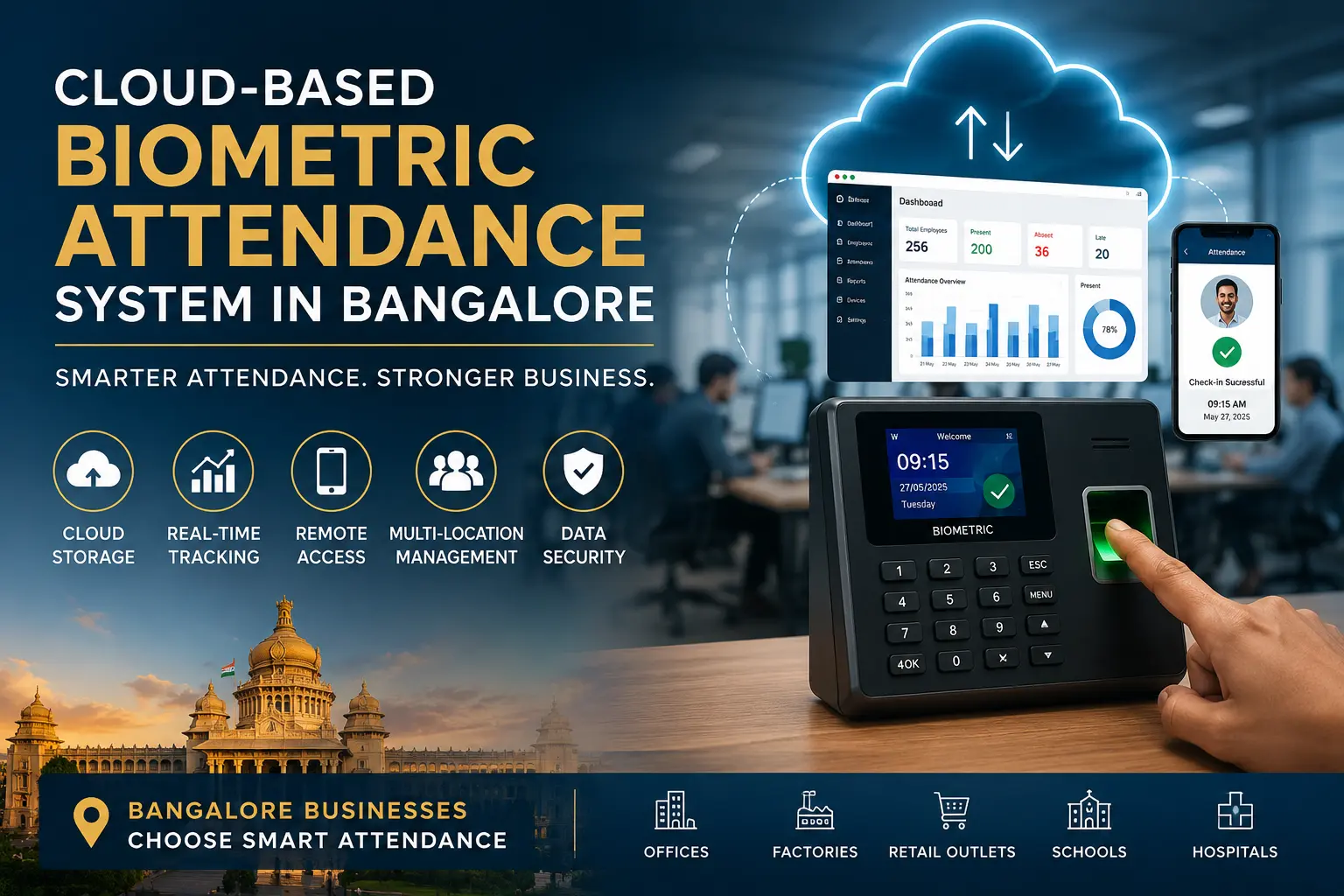
Cloud-Based Biometric Attendance System in Bangalore: Benefits for Modern Businesses
Managing employee attendance across different office floors, retail branches, or factory units is a common operational challenge. When businesses rely on manual registers or basic standalone biometric devices, HR teams often struggle to consolidate data at the end of the month. This creates delays in payroll processing and limits visibility into daily workforce attendance.
To solve these administrative bottlenecks, many companies are upgrading to a cloud-based biometric attendance system in Bangalore. This technology centralises attendance data, giving business owners and HR managers immediate online access to employee working hours, regardless of where the physical biometric device is installed.
What Is a Cloud-Based Biometric Attendance System?
A cloud-based biometric attendance system is a combination of hardware and software that records employee entry and exit times through a physical biometric device and immediately synchronises that data with a secure online server. Instead of storing attendance records locally on the machine itself, the system pushes the data to the internet. Authorised users can then log into an online attendance software for employees to view this data from any web browser.
How Cloud-Based Biometric Attendance Works
The process follows a simple, connected workflow:
-
Employee: The staff member scans their fingerprint or face on the physical machine.
-
Biometric Device: The device captures the biometric data and registers the exact time and date.
-
Cloud Platform: Because the device is connected to the internet, it sends this attendance event directly to the online server.
-
Dashboard: The cloud attendance software Bangalore processes the data against company shift rules.
-
Reports: HR administrators log into the system to view real-time data, track late arrivals, and generate monthly reports.
Cloud-Based vs Traditional Biometric Attendance
| Feature | Traditional Biometric System | Cloud-Based Biometric System |
| Data Storage | Stored on the local device only. | Stored securely on an online server. |
| Data Retrieval | Requires a USB drive or local LAN cable. | Automatic real-time synchronisation. |
| Remote Access | Not possible. | Accessible from anywhere via web login. |
| Multiple Branches | Requires manual data collection from each branch. | Centralised automatically in one dashboard. |
| Software Updates | Requires manual installation on local PCs. | Automatic updates from the provider. |
Why Businesses in Bangalore Are Moving to Cloud Attendance Systems
Bangalore is home to corporate head offices, expanding retail chains, and large industrial sectors. As these businesses grow, they often open new branches or hire more staff. An offline biometric machine quickly becomes a liability when an HR manager in Koramangala needs to verify the attendance of a factory worker in Peenya.
Businesses are moving to cloud solutions to achieve centralised attendance management. It provides faster access to records, accommodates multiple branches effortlessly, and significantly reduces the manual work involved in preparing monthly payroll data.
Key Benefits of a Cloud-Based Biometric Attendance System
Real-Time Employee Attendance Tracking
When an employee marks their attendance, the cloud platform updates immediately. HR managers do not have to wait until the end of the week to know who is present, absent, or late. Real-time employee attendance tracking allows operations teams to adjust daily workflows based on actual staff availability.
Access Attendance Data From Anywhere
You are no longer tied to the single computer where the desktop attendance software is installed. A cloud-based attendance software allows administrators to securely log in from a laptop at home, a mobile phone during a commute, or a computer in a different city.
Centralised Employee Attendance Records
Managing paper trails or multiple Excel sheets creates confusion. A cloud system keeps all employee profiles, shift timings, historical attendance logs, and leave records in one central database. This ensures data consistency across the entire organisation.
Easier Attendance Reporting
Generating reports manually takes hours of administrative time. Modern attendance tracking software Bangalore automates this process. The system calculates total working hours, late marks, and early departures based on pre-set company rules, generating accurate reports in seconds.
Better Control Over Multiple Locations
A multi-location attendance software connects devices from different physical offices to a single account. A retail business with ten stores can monitor staff across all locations simultaneously without requiring branch managers to manually send attendance files every evening.
Reduced Manual HR Work
By eliminating the need to download data via USB drives and manually format spreadsheets, a cloud HR attendance software frees up valuable administrative time. HR teams can focus on employee engagement and recruitment rather than data entry.
Important Features to Look for in Biometric Attendance Software
Biometric Employee Authentication
The physical hardware should support highly accurate verification methods. Most modern systems offer fingerprint scanning, facial recognition, or a combination of both to prevent proxy attendance.
Real-Time Attendance Dashboard
The software should provide a clear visual dashboard showing daily attendance summaries, active shift counts, and immediate alerts for absent or late employees.
Employee Time Tracking
Effective biometric time tracking software does more than log entry and exit times. It should calculate total daily working hours, track break durations, and identify overtime.
Attendance Reports and Export Options
Ensure the system provides comprehensive reporting formats. The ability to export data easily into Excel, CSV, or PDF files is essential for internal record-keeping and payroll processing.
Role-Based Admin Access
You should be able to assign different permission levels. For example, a branch manager should only see attendance data for their specific location, while the central HR head has visibility across the entire company.
Mobile and Online Access
An online employee attendance system should be accessible via web browsers, and ideally, provide a mobile application for managers to approve leaves or check daily attendance on the move.
Cloud-Based Attendance Software With Payroll Integration
Attendance data is the foundation of payroll processing. At the end of the month, HR must calculate total working days, paid days, approved leave, absent days, and overtime. If this data is transferred manually, human errors are inevitable.
Choosing biometric attendance software with payroll integration bridges this gap. While some advanced cloud systems push data directly into payroll software via an API, others provide structured data exports formatted specifically for popular payroll systems. This integration ensures that the salary processed matches the exact hours an employee worked.
Who Can Use a Cloud-Based Biometric Attendance System?
Offices and Corporate Workplaces
Companies operating out of IT parks or standalone commercial buildings use these systems to enforce office timings, track employee punctuality, and automate their end-of-month HR reporting.
Factories and Manufacturing Units
Industrial environments rely on strict shift schedules. Facial recognition devices connected to cloud platforms help factory managers track rotating shifts and calculate overtime for production workers accurately.
Retail Businesses
Retail chains often operate multiple small stores across Bangalore. A cloud system allows the central management team to ensure staff are opening the stores on time without needing to visit each location.
Schools and Educational Institutions
Administrators use employee time tracking software Bangalore to monitor the daily arrival and departure of teaching faculty and support staff, ensuring campus schedules run smoothly.
Businesses With Multiple Branches
Any organisation with a head office and several regional branches will benefit from a cloud attendance system for multiple locations. It removes the physical distance barrier in HR management.
How a Cloud Attendance System Helps HR Teams in Bangalore
HR departments handle heavy administrative workloads. A cloud-based biometric attendance system simplifies their daily and monthly routines.
For daily attendance monitoring, HR can instantly identify who has not reported to work and follow up accordingly. Late and absence tracking happens automatically, with the software flagging employees who consistently miss their shift timings. When it is time for the monthly attendance review, the HR manager simply generates a consolidated report rather than merging files from different branch offices, making payroll preparation faster and more accurate.
Cloud Attendance System for Multiple Locations
Managing a distributed workforce requires centralisation. When you install a biometric device at a branch office, you simply connect it to the local Wi-Fi or LAN. The device communicates directly with your central cloud account.
This means you can manage multiple biometric devices from one screen. You can register an employee at the head office and transfer their biometric profile digitally to a branch office without needing to re-register them on-site. Branch administrators can be given restricted access to monitor their own staff, while location-based reports give senior management clear visibility into branch-wise attendance metrics.
Cloud-Based Biometric Attendance vs Manual Attendance
| Factor | Manual Attendance (Registers/Excel) | Cloud-Based Biometric System |
| Attendance Marking | Handwritten or self-reported; prone to buddy punching. | Biometric authentication; accurate and secure. |
| Data Storage | Physical books or vulnerable local spreadsheets. | Encrypted cloud servers with automatic backups. |
| Remote Access | Impossible without physically moving the document. | Accessible securely from any web browser. |
| Reporting | Requires hours of manual calculation. | Automated reporting generated in seconds. |
| Multiple Locations | Requires physical collection from each site. | Centralised automatically in one dashboard. |
| Attendance History | Difficult to search past months or years. | Instant access to historical attendance data. |
| HR Workload | High administrative burden. | Minimal data entry required. |
What to Check Before Choosing Cloud-Based Biometric Attendance Software
Biometric Device Compatibility
Not all hardware works with all software. Ensure that the cloud platform you choose supports the specific brand and model of biometric devices you plan to install.
Cloud Data Security and Access Controls
Since you are storing employee data online, check where the provider hosts their servers. Look for systems that offer secure encryption, regular backups, and strict password controls.
Payroll Integration
Verify exactly how the attendance software for businesses shares data. Ask the provider if the software has a direct API integration with your existing payroll platform or if it relies on custom CSV exports.
Multi-Location Support
If you plan to expand, confirm that the software can handle devices across different IP addresses and network environments without requiring complex VPN setups.
Reporting Requirements
Review the standard reports the software generates. Ensure it covers your specific business rules for late arrivals, half-days, weekly offs, and overtime calculations.
Scalability
The system should grow with your business. Check if there are limits on the number of employees you can add or if the software tier supports upgrading as you open new branches.
How to Implement a Cloud-Based Biometric Attendance System
Assess Employee and Location Requirements
Count how many employees will use the system, identify the physical locations where devices are needed, and determine your required shift rules.
Select the Biometric Devices and Software
Choose hardware suited to your environment. For example, facial recognition works well in factories where fingerprints may be dirty, while fingerprint scanners are cost-effective for standard offices. Ensure the hardware supports cloud connectivity.
Configure Employees and Attendance Rules
Create employee profiles in the software, assign them to their respective branches, and configure your company’s working hours, break times, and weekend policies.
Connect Devices to the Cloud Platform
Install the biometric machines at the physical locations. Connect them to the local internet network and input the server details so they can sync with your cloud account.
Test Reports and HR Workflows
Ask a few employees to mark their attendance. Log into the remote attendance monitoring software to verify that the data appears correctly in real time and that reports are generating accurately.
Common Problems Businesses Face With Attendance Systems
Attendance Data Stuck at One Location
With offline machines, data sits on the device until someone physically extracts it. A cloud system solves this by pushing data to the internet immediately.
Manual Data Consolidation From Multiple Branches
Chasing branch managers to email their attendance files delays payroll. Cloud software consolidates this data automatically into a single company-wide database.
Difficulty Tracking Multi-Location Teams
If an employee visits a different branch, offline systems often mark them absent at their home branch. Connected cloud systems can recognize the employee across network devices and log their attendance correctly.
Attendance and Payroll Data Mismatch
Manual data entry leads to typing errors, causing salary disputes. Using cloud employee attendance software that exports structured data reduces these mismatches.
Limited Access to Historical Attendance Data
Standalone machines have limited storage and eventually overwrite old data. Cloud servers store years of attendance history safely, allowing HR to recall past records instantly.
Is a Cloud-Based Biometric Attendance System Right for Your Business?
A cloud-based solution is highly beneficial for businesses with more than 20 employees, companies operating multiple branches, or organisations struggling with slow payroll processing. The ability to view real-time data and automate reports easily justifies the investment.
However, if you run a very small business from a single room with a handful of staff, a basic offline biometric device or a simple mobile attendance app might be sufficient. Evaluate the time your HR team currently spends on manual attendance tasks to determine if upgrading to a cloud infrastructure makes operational sense.
FAQ
What is a cloud-based biometric attendance system?
It is an attendance management solution that uses biometric hardware, like fingerprint or face scanners, to identify employees. The device connects to the internet and immediately sends the attendance timestamps to a secure online server, rather than storing them locally.
How does a cloud attendance system work?
When an employee scans their biometric profile on the physical device, the machine captures the time and date. Using a Wi-Fi or LAN connection, it transmits this data to a central cloud server. Authorised users can then view this data through an online dashboard.
Can employees mark attendance from different locations?
Yes, provided the biometric devices at the different locations are all connected to the same central cloud account. The system will recognise the employee’s biometric profile and log their attendance to the central database, regardless of which branch they visit.
Can cloud attendance software integrate with payroll?
Yes. Many modern systems provide payroll integration capabilities. They can either connect directly to popular HR and payroll platforms via an API, or they can generate structured Excel and CSV reports specifically formatted to match your payroll software’s requirements.
Can HR monitor attendance in real time?
Yes. Because the biometric devices send data to the server the moment an employee punches in, HR managers can log into the dashboard and see exactly who is present, absent, or late at any given time during the day.
Is cloud-based attendance software suitable for multiple branches?
It is highly suitable and often the primary reason businesses upgrade. It allows central management to monitor attendance across all retail stores, factory units, or regional offices from a single headquarters without needing to collect data physically from each location.
Can employees and managers access attendance online?
Yes. Most cloud platforms feature role-based access. HR administrators have full system control, branch managers can view data for their specific location, and employees can often log into a self-service portal to check their own attendance and apply for leaves.
What should businesses check before choosing biometric attendance software?
Businesses should verify that the software is compatible with their chosen biometric hardware. They should also evaluate the system’s data security protocols, report generation capabilities, multi-location support, and how easily the data can be exported to their existing payroll system.
Cloud-Based Biometric Attendance System in Bangalore for Modern Businesses
Upgrading to a cloud-based biometric attendance system in Bangalore provides immediate operational advantages for growing businesses. By moving away from standalone machines and manual registers, business owners and HR teams gain real-time visibility into their workforce across all physical locations.
The combination of accurate biometric authentication and cloud-based management removes the daily friction of tracking employee hours. It simplifies multi-location monitoring, centralises HR reporting, and ensures payroll integration is accurate and efficient. Whether you manage a busy corporate office, a multi-branch retail network, or a large manufacturing unit, investing in the right technology secures your attendance data and streamlines your operations.
If you are evaluating attendance software for your business, assess your required device capacity, location network, and reporting rules to find a solution that fits your operational needs.
Ready to build a faster, more secure attendance network?
Call Us: +91-09972047466 Available for urgent security needs & installation support
Email: contact@valuablecctvsolution.com
Visit Our Office: 50/6 5th main road, 12th Cross Rd, Wilson Garden, Bengaluru, Karnataka 560027
Google Maps: Check Our Google My Business Listing for Reviews

Siddu Swami Hiremath is the Founder & CEO of Valuable Security Solution, a Bengaluru-based company specializing in CCTV camera installation, electronic security systems, and surveillance solutions. With over 15 years of hands-on experience in the security industry, he has helped homeowners, businesses, apartments, offices, schools, and industrial facilities implement reliable CCTV systems, access control systems, biometric attendance solutions, fire alarm systems, and burglar alarm systems. His expertise in designing customized security solutions has made Valuable Security Solution a trusted name for CCTV installation in Bangalore. Known for same-day site surveys, professional installation, best-price guarantee, and 24/7 technical support, Siddu is committed to delivering advanced security solutions that ensure long-term safety, protection, and peace of mind.